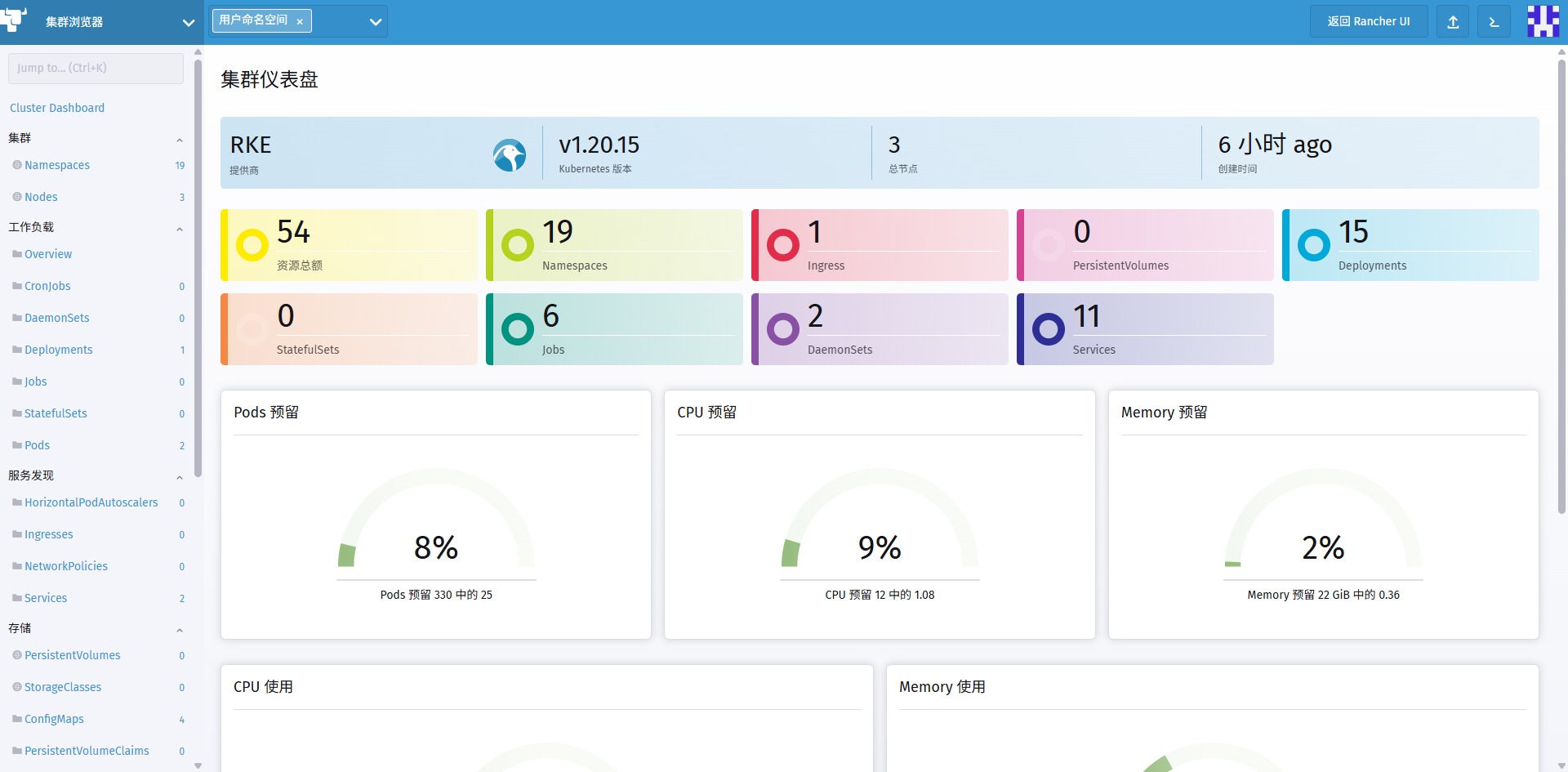
一、配置基础设施和私有镜像仓库
在 RKE 集群中安装 Rancher 高可用,我们建议为高可用安装配置以下基础设施:
- 3 个 Linux 节点,通常是虚拟机,你可以自行选择的基础设施提供商,例如 Amazon EC2、阿里云、腾讯云或者 vShpere。
- 1 个负载均衡器,用于将流量转发到这三个节点。
- 1 条 DNS 记录,用于将 URL 指向负载均衡器。这将成为 Rancher Server 的 URL,下游集群需要可以访问到这个地址。
- 私有 Docker 镜像仓库,用于为你的节点分发 Docker 镜像。
| 角色 | ip地址 | 操作系统 |
| controlplane/worker/etcd | 192.168.1.170 | CentOS Linux release 8.4.2105 |
| controlplane/worker/etcd | 192.168.1.171 | CentOS Linux release 8.4.2105 |
| controlplane/worker/etcd | 192.168.1.172 | CentOS Linux release 8.4.2105 |
| Harbor(私有docker镜像仓库) | 192.168.1.178 | CentOS Linux release 8.4.2105 |
| Nginx(负载均衡器) | 192.168.1.179 | CentOS Linux release 8.4.2105 |
- 3个Linux节点:4核/8G/100G
- Harbor:4核心/8G/100G
- Nginx:1核/1G/50G
每个服务器执行标准初始化:
init_centos8.sh:
#!/bin/bash
/bin/rm -f /etc/yum.repos.d/*.repo
cat > /etc/yum.repos.d/CentOS-Media.repo <<EOF
[BaseOS]
name=CentOS-8.4.2105 - BaseOS
baseurl=https://mirror.nju.edu.cn/centos-vault/8.4.2105/BaseOS/\$basearch/os/
gpgcheck=1
enabled=1
gpgkey=https://mirror.nju.edu.cn/centos/RPM-GPG-KEY-CentOS-Official

[AppStream]
name=CentOS-8.4.2105 - AppStream
baseurl=https://mirror.nju.edu.cn/centos-vault/8.4.2105/AppStream/\$basearch/os/
gpgcheck=1
enabled=1
gpgkey=https://mirror.nju.edu.cn/centos/RPM-GPG-KEY-CentOS-Official

[PowerTools]
name=CentOS-8.4.2105 - PowerTools
baseurl=https://mirror.nju.edu.cn/centos-vault/8.4.2105/PowerTools/\$basearch/os/
gpgcheck=1
enabled=1
gpgkey=https://mirror.nju.edu.cn/centos/RPM-GPG-KEY-CentOS-Official

[Extras]
name=CentOS-8.4.2105 - Extras
baseurl=https://mirror.nju.edu.cn/centos-vault/8.4.2105/extras/\$basearch/os/
gpgcheck=1
enabled=1
gpgkey=https://mirror.nju.edu.cn/centos/RPM-GPG-KEY-CentOS-Official
EOF
yum clean all
yum makecache
yum -y install chrony curl gzip unzip net-tools tar socat conntrack ebtables ipset
cat > /etc/chrony.conf <<EOF
pool time.gpst.net.cn iburst minpoll 3 maxpoll 3 maxsources 1 prefer
pool ntp.ubuntu.com        iburst maxsources 4
pool 0.ubuntu.pool.ntp.org iburst maxsources 1
pool 1.ubuntu.pool.ntp.org iburst maxsources 1
pool 2.ubuntu.pool.ntp.org iburst maxsources 2
stratumweight 0.05
driftfile /var/lib/chrony/drift
rtcsync
makestep 0.5 3
bindcmdaddress 127.0.0.1
bindcmdaddress ::1
noclientlog
logchange 0.5
logdir /var/log/chrony
EOF
systemctl enable --now chronyd
chronyc makestep
/bin/cp -f /usr/share/zoneinfo/Asia/Shanghai /etc/localtime
cat >> /etc/security/limits.conf <<EOF
* soft nofile 65535
* hard nofile 65535
root soft nofile 65535
root hard nofile 65535
EOF
systemctl disable --now firewalld
systemctl stop firewalld
modprobe br_netfilter
echo "br_netfilter" >/etc/modules-load.d/net.conf
sed -i '/net.ipv4.ip_forward\|net.bridge.bridge\-nf\-call\-iptables/d' /etc/sysctl.conf
echo "net.ipv4.ip_forward = 1" >> /etc/sysctl.conf
echo "net.bridge.bridge-nf-call-iptables=1" >>/etc/sysctl.conf
sysctl -p
sed -i '/^SELINUX=/s/\(.*\)=\(.*\)/\1=disabled/g' /etc/selinux/config
setenforce 0

cat >> /etc/profile <<EOF
export HTTP_PROXY=http://192.168.1.77:5704/
export HTTPS_PROXY=http://192.168.1.77:5704/
# 内网/集群网段不走代理(关键,否则集群通信异常)
export NO_PROXY=127.0.0.1,localhost,lb.kubesphere.local,10.0.0.0/8,192.168.0.0/16,172.16.0.0/12,.local
# 小写兼容
export http_proxy=\$HTTP_PROXY
export https_proxy=\$HTTPS_PROXY
export no_proxy=\$NO_PROXY

# 国内加速,必须加
export KKZONE=cn
EOF
source /etc/profile
1、安装Harbor(私网docker镜像仓库)
- 安装好docker环境和dockers-compose工具
- 准备好harbor的自签名证书和密钥
- 使用easyrsa制作自签名证书和密钥
- 将harbor.crt和harbor.key上传到服务器的/data/ssl/路径下存放
- 下载harbor的离线安装包:https://github.com/goharbor/harbor/releases/download/v2.15.2/harbor-offline-installer-v2.15.2.tgz
- 将离线安装包存放到服务器的/data/install路径下存放
- 安装harbor
tar zxf harbor-offline-installer-v2.15.2.tgz
cd harbor
cp harbor.yml.tmpl harbor.yml
harbor.yml修改三处为实际设置:
hostname: dockerhub.gpst.net.cn
certificate: /data/ssl/harbor.crt
private_key: /data/ssl/harbor.key
bash ./install.sh安装完成后,即可通过dockerhub.gpst.net.cn访问私网docker镜像仓库,默认的用户名/密码: admin/Harbor12345
2、安装Nginx(负载均衡器)
- 安装好docker 20.10.24环境 (rke v1.2.23兼容docker 20.10.24)
- 写好nginx.conf配置:
worker_processes 4;
worker_rlimit_nofile 40000;

events {
    worker_connections 8192;
}

stream {
    upstream rancher_servers_http {
        least_conn;
        server 192.168.1.170:80 max_fails=3 fail_timeout=5s;
        server 192.168.1.171:80 max_fails=3 fail_timeout=5s;
        server 192.168.1.172:80 max_fails=3 fail_timeout=5s;
    }
    server {
        listen 80;
        proxy_pass rancher_servers_http;
    }

    upstream rancher_servers_https {
        least_conn;
        server 192.168.1.170:443 max_fails=3 fail_timeout=5s;
        server 192.168.1.171:443 max_fails=3 fail_timeout=5s;
        server 192.168.1.172:443 max_fails=3 fail_timeout=5s;
    }
    server {
        listen     443;
        proxy_pass rancher_servers_https;
    }

}
- 将nginx.conf存放到/data/nginx/etc/文件夹下
- 运行docker容器启动命令:
docker run -itd --name nginx --restart=always -p 80:80 -p 443:443 -v /data/nginx/etc/nginx.conf:/etc/nginx/nginx.conf:rw dockerhub.gpst.net.cn/library/nginx:latest二、同步镜像到私有仓库
默认情况下,Rancher 中所有用于创建 Kubernetes 集群或启动 Rancher 中任何工具(如监控和日志)的镜像都来自 Docker Hub。在 Rancher 的离线安装中,你将需要一个私有镜像仓库,该镜像仓库位于你的 Rancher Server 可访问的某个位置。然后,你将在镜像仓库中加载所有的镜像。
rancher-save-images.sh,这个脚本会从 DockerHub 中拉取在文件rancher-images.txt中描述的所有镜像,并将它们保存为文件rancher-images.tar.gz。改写官方脚本为多线程拉取镜像:
#!/bin/bash
list="rancher-images.txt"
images="rancher-images.tar.gz"
source_registry=""

usage() {
	echo "USAGE: $0 [--image-list rancher-images.txt] [--images rancher-images.tar.gz]"
	echo "  [-s|--source-registry] source registry to pull images from in registry:port format."
	echo "  [-l|--image-list path] text file with list of images; one image per line."
	echo "  [-i|--images path] tar.gz generated by docker save."
	echo "  [-h|--help] Usage message"
}

POSITIONAL=()
while [[ $# -gt 0 ]]; do
	key="$1"
	case $key in
	-i | --images)
		images="$2"
		shift # past argument
		shift # past value
		;;
	-l | --image-list)
		list="$2"
		shift # past argument
		shift # past value
		;;
	-s | --source-registry)
		source_registry="$2"
		shift # past argument
		shift # past value
		;;
	-h | --help)
		help="true"
		shift
		;;
	*)
		usage
		exit 1
		;;
	esac
done

if [[ $help ]]; then
	usage
	exit 0
fi

source_registry="${source_registry%/}"
if [ ! -z "${source_registry}" ]; then
	source_registry="${source_registry}/"
fi
threads=20
fifofile=/tmp/$$.fifo
mkfifo $fifofile
exec 6<>$fifofile
/bin/rm $fifofile
for ((i = 0; i < $threads; i++)); do
	echo >&6
done
pulled=""
TmpList=/tmp/rancher_$$.txt
cat /dev/null >$TmpList
while IFS= read -r i; do
	[ -z "${i}" ] && continue
	read -u6
	{
		i="${source_registry}${i}"
		if docker pull "${i}" >/dev/null 2>&1; then
			echo "Image pull success: ${i}"
			echo "${i}" >>$TmpList
		else
			if docker inspect "${i}" >/dev/null 2>&1; then
				echo "${i}" >>$TmpList
			else
				echo "Image pull failed: ${i}"
			fi
		fi
		echo >&6
	} &
done <"${list}"
wait
exec 6>&- 6<&-
pulled="$(cat $TmpList | awk '{printf"%s ",$0}')"
echo "Creating ${images} with $(echo ${pulled} | wc -w | tr -d '[:space:]') images"
docker save $(echo ${pulled}) | gzip --stdout >${images}
if [[ -f "$images" ]]; then
	/bin/rm -f $TmpList
fi
rancher-load-images.sh,这个脚本会载入文件rancher-images.tar.gz中的镜像,并将它们推送到你自己的私有镜像库。
#!/bin/bash
images="rancher-images.tar.gz"
list="rancher-images.txt"
windows_image_list=""
windows_versions="1809"
source_registry=""
usage () {
    echo "USAGE: $0 [--images rancher-images.tar.gz] [--source-registry index.docker.io] --registry my.registry.com:5000"
    echo "  [-l|--image-list path] text file with list of images; one image per line."
    echo "  [-i|--images path] tar.gz generated by docker save."
    echo "  [-r|--registry registry:port] target private registry in the registry:port format."
    echo "  [-s|--source-registry registry:port] source registry in the registry:port format."
    echo "  [--windows-image-list path] text file with list of images used in Windows. Windows image mirroring is skipped when this is empty."
    echo "  [--windows-versions version] Comma separated Windows versions. e.g., \"1809,ltsc2022\". (Default \"1809\")"
    echo "  [-h|--help] Usage message"
}

push_manifest () {
    export DOCKER_CLI_EXPERIMENTAL=enabled
    manifest_list=()
    for i in "${arch_list[@]}"
    do
        manifest_list+=("$1-${i}")
    done

    echo "Preparing manifest $1, list[${arch_list[@]}]"
    docker manifest create "$1" "${manifest_list[@]}" --amend
    docker manifest push "$1" --purge
}

while [[ $# -gt 0 ]]; do
    key="$1"
    case $key in
        -r|--registry)
        target_registry="$2"
        shift # past argument
        shift # past value
        ;;
        -s|--source-registry)
        source_registry="$2"
        shift # past argument
        shift # past value
        ;;
        -l|--image-list)
        list="$2"
        shift # past argument
        shift # past value
        ;;
        -i|--images)
        images="$2"
        shift # past argument
        shift # past value
        ;;
        --windows-image-list)
        windows_image_list="$2"
        shift # past argument
        shift # past value
        ;;
        --windows-versions)
        windows_versions="$2"
        shift # past argument
        shift # past value
        ;;
        -h|--help)
        help="true"
        shift
        ;;
        *)
        usage
        exit 1
        ;;
    esac
done
if [[ -z "${target_registry}" ]]; then
    usage
    exit 1
fi
if [[ $help ]]; then
    usage
    exit 0
fi

target_registry="${target_registry%/}/"
source_registry="${source_registry%/}"
if [ ! -z "${source_registry}" ]; then
    source_registry="${source_registry}/"
fi

docker load --input ${images}

linux_images=()
while IFS= read -r i; do
    [ -z "${i}" ] && continue
    linux_images+=("${i}");
done < "${list}"

arch_list=()
if [[ -n "${windows_image_list}" ]]; then
    IFS=',' read -r -a versions <<< "$windows_versions"
    for version in "${versions[@]}"
    do
        arch_list+=("windows-${version}")
    done

    windows_images=()
    while IFS= read -r i; do
        [ -z "${i}" ] && continue
        windows_images+=("${i}")
    done < "${windows_image_list}"

    # use manifest to publish images only used in Windows
    for i in "${windows_images[@]}"; do
        if [[ ! " ${linux_images[@]}" =~ " ${i}" ]]; then
            case $i in
            */*)
                image_name="${target_registry}${i}"
                ;;
            *)
                image_name="${target_registry}rancher/${i}"
                ;;
            esac
            push_manifest "${image_name}"
        fi
    done
fi

arch_list+=("linux-amd64")
for i in "${linux_images[@]}"; do
    [ -z "${i}" ] && continue
    arch_suffix=""
    use_manifest=false
    if [[ (-n "${windows_image_list}") && " ${windows_images[@]}" =~ " ${i}" ]]; then
        # use manifest to publish images when it is used both in Linux and Windows
        use_manifest=true
        arch_suffix="-linux-amd64"
    fi
    case $i in
    */*)
        image_name="${target_registry}${i}"
        ;;
    *)
        image_name="${target_registry}rancher/${i}"
        ;;
    esac

    docker tag "${source_registry}${i}" "${image_name}${arch_suffix}"
    docker push "${image_name}${arch_suffix}"

    if $use_manifest; then
        push_manifest "${image_name}"
    fi
done
rancher-images.txt,此文件包含安装 Rancher、创建集群和运行 Rancher 工具所需的镜像列表。
- rancher版本:v2.5.17
busybox
rancher/backup-restore-operator:v1.2.1
rancher/cis-operator:v1.0.7
rancher/configmap-reload:v0.3.0-rancher4
rancher/coredns-coredns:1.6.2
rancher/coredns-coredns:1.6.9
rancher/coredns-coredns:1.8.3
rancher/coreos-kube-state-metrics:v1.9.7
rancher/coreos-prometheus-config-reloader:v0.39.0
rancher/coreos-prometheus-operator:v0.39.0
rancher/eks-operator:v1.0.10
rancher/externalip-webhook:v0.1.6
rancher/flannel-cni:v0.3.0-rancher6
rancher/fleet-agent:v0.3.10-security1
rancher/fleet:v0.3.10-security1
rancher/fluentd:v0.1.30
rancher/gitjob:v0.1.26-security1
rancher/gke-operator:v1.1.1
rancher/grafana-grafana:6.7.4
rancher/grafana-grafana:7.1.5
rancher/hyperkube:v1.17.17-rancher2
rancher/hyperkube:v1.18.20-rancher1
rancher/hyperkube:v1.19.16-rancher2
rancher/hyperkube:v1.20.15-rancher2
rancher/istio-1.5-migration:0.1.1
rancher/istio-citadel:1.5.9
rancher/istio-coredns-plugin:0.2-istio-1.1
rancher/istio-galley:1.5.9
rancher/istio-installer:1.11.7-rancher1
rancher/istio-kubectl:1.4.6
rancher/istio-kubectl:1.5.10
rancher/istio-kubectl:1.5.9
rancher/istio-mixer:1.5.9
rancher/istio-node-agent-k8s:1.5.9
rancher/istio-pilot:1.5.9
rancher/istio-proxyv2:1.5.9
rancher/istio-sidecar_injector:1.5.9
rancher/jaegertracing-all-in-one:1.14
rancher/jetstack-cert-manager-controller:v0.8.1
rancher/jimmidyson-configmap-reload:v0.3.0
rancher/k3s-upgrade:v1.17.17-k3s1
rancher/k3s-upgrade:v1.18.20-k3s1
rancher/k3s-upgrade:v1.19.16-k3s1
rancher/k3s-upgrade:v1.20.15-k3s1
rancher/kiali-kiali:v1.17
rancher/klipper-helm:v0.2.3
rancher/klipper-helm:v0.4.3
rancher/klipper-helm:v0.6.6-build20211022
rancher/klipper-lb:v0.1.2
rancher/klipper-lb:v0.2.0
rancher/kube-api-auth:v0.1.4
rancher/kubectl:v1.18.0
rancher/kubectl:v1.20.2
rancher/kubectl:v1.21.5
rancher/kubernetes-external-dns:v0.7.3
rancher/library-busybox:1.32.1
rancher/library-traefik:1.7.19
rancher/local-path-provisioner:v0.0.11
rancher/local-path-provisioner:v0.0.14
rancher/local-path-provisioner:v0.0.19
rancher/log-aggregator:v0.1.8
rancher/metrics-server:v0.3.6
rancher/mirrored-banzaicloud-fluentd:v1.14.6-alpine-5
rancher/mirrored-banzaicloud-logging-operator:3.17.7
rancher/mirrored-calico-cni:v3.13.4
rancher/mirrored-calico-cni:v3.16.5
rancher/mirrored-calico-cni:v3.17.2
rancher/mirrored-calico-ctl:v3.13.4
rancher/mirrored-calico-ctl:v3.16.5
rancher/mirrored-calico-ctl:v3.17.2
rancher/mirrored-calico-kube-controllers:v3.13.4
rancher/mirrored-calico-kube-controllers:v3.16.5
rancher/mirrored-calico-kube-controllers:v3.17.2
rancher/mirrored-calico-node:v3.13.4
rancher/mirrored-calico-node:v3.16.5
rancher/mirrored-calico-node:v3.17.2
rancher/mirrored-calico-pod2daemon-flexvol:v3.13.4
rancher/mirrored-calico-pod2daemon-flexvol:v3.16.5
rancher/mirrored-calico-pod2daemon-flexvol:v3.17.2
rancher/mirrored-cloud-provider-vsphere-cpi-release-manager:v1.18.0
rancher/mirrored-cloud-provider-vsphere-cpi-release-manager:v1.19.0
rancher/mirrored-cloud-provider-vsphere-cpi-release-manager:v1.20.0
rancher/mirrored-cloud-provider-vsphere-cpi-release-manager:v1.21.0
rancher/mirrored-cloud-provider-vsphere-csi-release-driver:v2.3.0
rancher/mirrored-cloud-provider-vsphere-csi-release-syncer:v2.3.0
rancher/mirrored-cluster-proportional-autoscaler:1.7.1
rancher/mirrored-cluster-proportional-autoscaler:1.8.1
rancher/mirrored-coredns-coredns:1.6.5
rancher/mirrored-coredns-coredns:1.6.9
rancher/mirrored-coredns-coredns:1.7.0
rancher/mirrored-coredns-coredns:1.8.0
rancher/mirrored-coreos-etcd:v3.4.15-rancher1
rancher/mirrored-coreos-etcd:v3.4.3-rancher1
rancher/mirrored-coreos-flannel:v0.15.1
rancher/mirrored-curlimages-curl:7.77.0
rancher/mirrored-directxman12-k8s-prometheus-adapter:v0.8.4
rancher/mirrored-fluent-fluent-bit:1.9.3
rancher/mirrored-fluent-fluent-bit:1.9.3-debug
rancher/mirrored-grafana-grafana-image-renderer:3.0.1
rancher/mirrored-grafana-grafana:7.5.8
rancher/mirrored-idealista-prom2teams:3.2.1
rancher/mirrored-idealista-prom2teams:3.2.3
rancher/mirrored-ingress-nginx-kube-webhook-certgen:v1.1.1
rancher/mirrored-istio-install-cni:1.11.7
rancher/mirrored-istio-pilot:1.11.7
rancher/mirrored-istio-proxyv2:1.11.7
rancher/mirrored-jaegertracing-all-in-one:1.31.0
rancher/mirrored-jenkins-jnlp-slave:3.35-4
rancher/mirrored-jettech-kube-webhook-certgen:v1.5.2
rancher/mirrored-jimmidyson-configmap-reload:v0.4.0
rancher/mirrored-k8s-dns-dnsmasq-nanny:1.15.0
rancher/mirrored-k8s-dns-dnsmasq-nanny:1.15.10
rancher/mirrored-k8s-dns-dnsmasq-nanny:1.15.2
rancher/mirrored-k8s-dns-kube-dns:1.15.0
rancher/mirrored-k8s-dns-kube-dns:1.15.10
rancher/mirrored-k8s-dns-kube-dns:1.15.2
rancher/mirrored-k8s-dns-node-cache:1.15.13
rancher/mirrored-k8s-dns-node-cache:1.15.7
rancher/mirrored-k8s-dns-sidecar:1.15.0
rancher/mirrored-k8s-dns-sidecar:1.15.10
rancher/mirrored-k8s-dns-sidecar:1.15.2
rancher/mirrored-k8scsi-csi-node-driver-registrar:v2.1.0
rancher/mirrored-k8scsi-csi-resizer:v1.1.0
rancher/mirrored-k8scsi-livenessprobe:v2.2.0
rancher/mirrored-kiali-kiali:v1.41.0
rancher/mirrored-kiwigrid-k8s-sidecar:1.12.2
rancher/mirrored-kube-rbac-proxy:v0.5.0
rancher/mirrored-kube-state-metrics-kube-state-metrics:v2.0.0
rancher/mirrored-library-busybox:1.31.1
rancher/mirrored-library-nginx:1.19.9-alpine
rancher/mirrored-library-nginx:1.21.1-alpine
rancher/mirrored-longhornio-backing-image-manager:v2_20210820
rancher/mirrored-longhornio-csi-attacher:v3.2.1
rancher/mirrored-longhornio-csi-node-driver-registrar:v2.3.0
rancher/mirrored-longhornio-csi-provisioner:v2.1.2
rancher/mirrored-longhornio-csi-resizer:v1.2.0
rancher/mirrored-longhornio-csi-snapshotter:v3.0.3
rancher/mirrored-longhornio-longhorn-engine:v1.2.3
rancher/mirrored-longhornio-longhorn-instance-manager:v1_20211210
rancher/mirrored-longhornio-longhorn-manager:v1.2.3
rancher/mirrored-longhornio-longhorn-share-manager:v1_20211020
rancher/mirrored-longhornio-longhorn-ui:v1.2.3
rancher/mirrored-messagebird-sachet:0.2.3
rancher/mirrored-messagebird-sachet:0.2.6
rancher/mirrored-metrics-server:v0.3.6
rancher/mirrored-metrics-server:v0.5.0
rancher/mirrored-minio-minio:RELEASE.2020-07-13T18-09-56Z
rancher/mirrored-nginx-ingress-controller-defaultbackend:1.5-rancher1
rancher/mirrored-openpolicyagent-gatekeeper:v3.3.0
rancher/mirrored-pause:3.1
rancher/mirrored-pause:3.2
rancher/mirrored-pause:3.6
rancher/mirrored-plugins-docker:18.09
rancher/mirrored-prometheus-alertmanager:v0.22.2
rancher/mirrored-prometheus-node-exporter:v1.1.2
rancher/mirrored-prometheus-operator-prometheus-config-reloader:v0.48.0
rancher/mirrored-prometheus-operator-prometheus-operator:v0.48.0
rancher/mirrored-prometheus-prometheus:v2.27.1
rancher/mirrored-sig-storage-csi-attacher:v3.2.0
rancher/mirrored-sig-storage-csi-provisioner:v2.2.0
rancher/mirrored-sonobuoy-sonobuoy:v0.53.2
rancher/nginx-ingress-controller:nginx-0.35.0-rancher2
rancher/nginx-ingress-controller:nginx-1.2.1-rancher1
rancher/opa-gatekeeper:v3.1.0-beta.7
rancher/openzipkin-zipkin:2.14.2
rancher/pause:3.1
rancher/pipeline-jenkins-server:v0.1.4
rancher/pipeline-tools:v0.1.15
rancher/prom-alertmanager:v0.21.0
rancher/prom-node-exporter:v1.0.1
rancher/prom-prometheus:v2.12.0
rancher/prom-prometheus:v2.18.2
rancher/prometheus-auth:v0.2.1
rancher/pstauffer-curl:v1.0.3
rancher/pushprox-client:v0.1.0-rancher2-client
rancher/pushprox-proxy:v0.1.0-rancher2-proxy
rancher/rancher-agent:v2.5.17
rancher/rancher-operator:v0.1.5
rancher/rancher-runtime:v2.5.17
rancher/rancher-webhook:v0.1.6
rancher/rancher:v2.5.17
rancher/rke-tools:v0.1.74
rancher/rke-tools:v0.1.75
rancher/rke-tools:v0.1.78
rancher/rke-tools:v0.1.80
rancher/security-scan:v0.1.14
rancher/security-scan:v0.2.6
rancher/shell:v0.1.13
rancher/shell:v0.1.8
rancher/sonobuoy-sonobuoy:v0.16.3
rancher/system-upgrade-controller:v0.6.2
rancher/tekton-utils:v0.1.5
rancher/thanosio-thanos:v0.15.0
rancher/webhook-receiver:v0.2.4
registry:2
搜集cert-manager镜像,获取最新的cert-manager Helm chart,解析模板并获取镜像详细信息:
- cert-manager版本:v1.5.1 (兼容适配)
helm repo add jetstack https://charts.jetstack.io
helm repo update
helm fetch jetstack/cert-manager --version v1.5.1
helm template ./cert-manager-<version>.tgz | awk '$1 ~ /image:/ {print $2}' | sed s/\"//g >> ./rancher-images.txt
或者直接补充rancher-images.txt:
quay.io/jetstack/cert-manager-cainjector:v1.5.1
quay.io/jetstack/cert-manager-controller:v1.5.1
quay.io/jetstack/cert-manager-webhook:v1.5.1
quay.io/jetstack/cert-manager-ctl:v1.5.1
对镜像列表进行排序和唯一化,去除重复的镜像源:
sort -u rancher-images.txt -o rancher-images.txt将镜像保存到你的工作站中:
chmod +x rancher-save-images.sh
./rancher-save-images.sh --image-list ./rancher-images.txt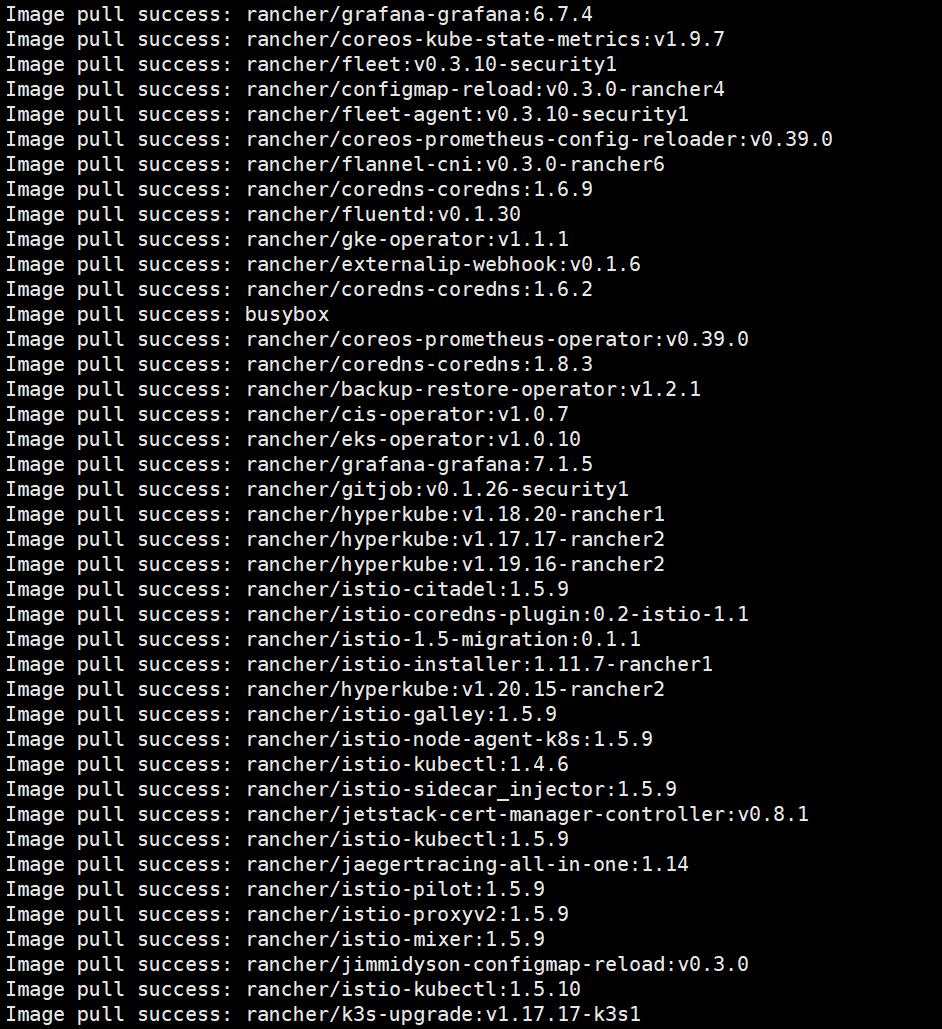
推送镜像到镜像仓库:
docker login dockerhub.gpst.net.cn
chmod +x rancher-load-images.sh
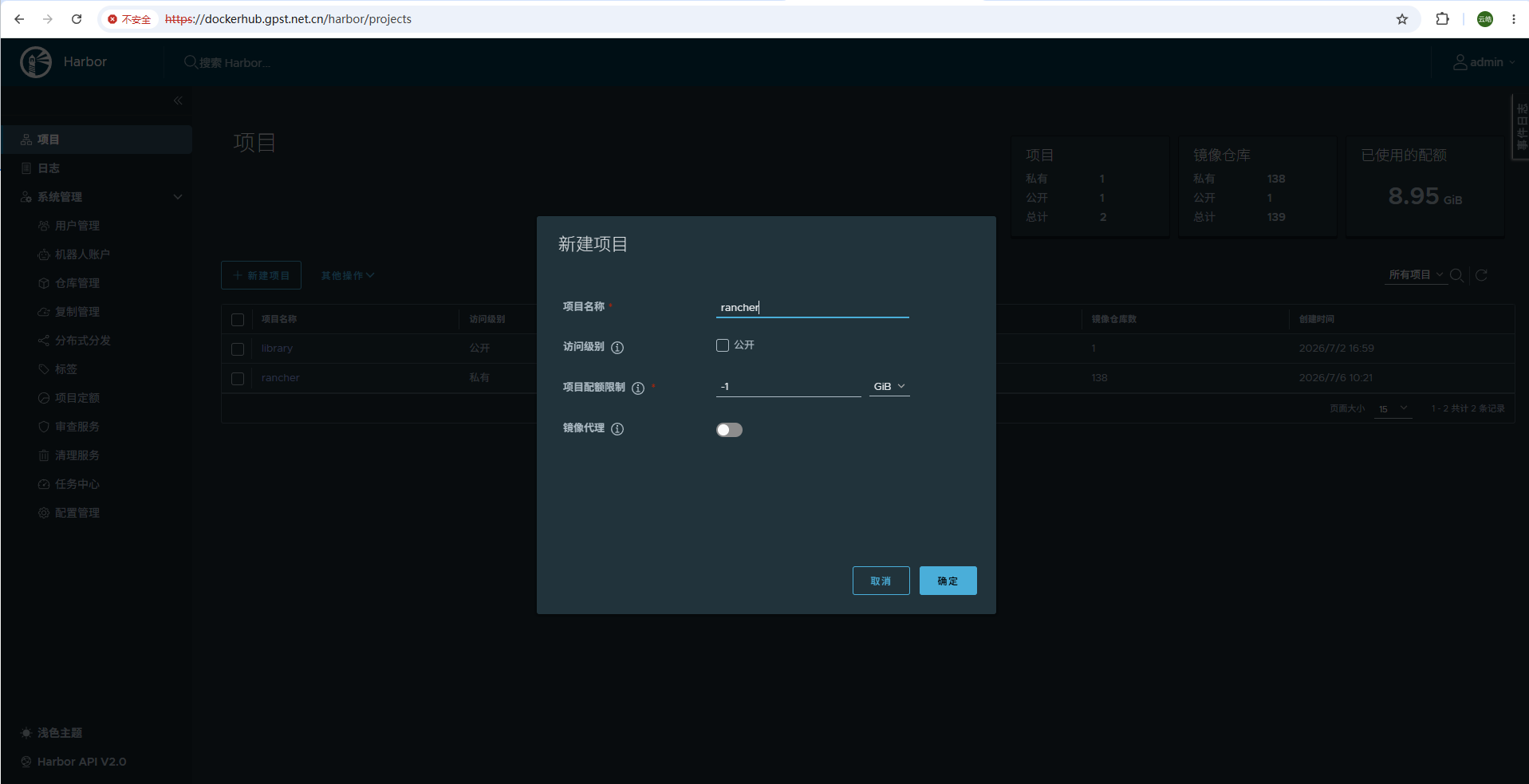
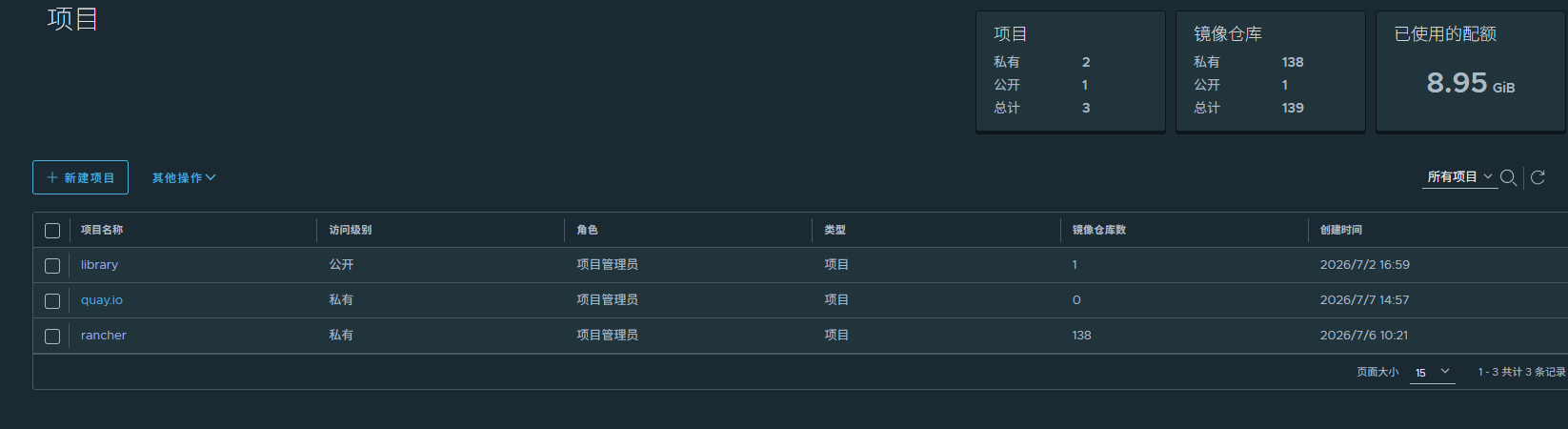
登录Harbor WEB UI:
新建项目:rancher和quay.io
./rancher-load-images.sh --image-list ./rancher-images.txt --registry dockerhub.gpst.net.cn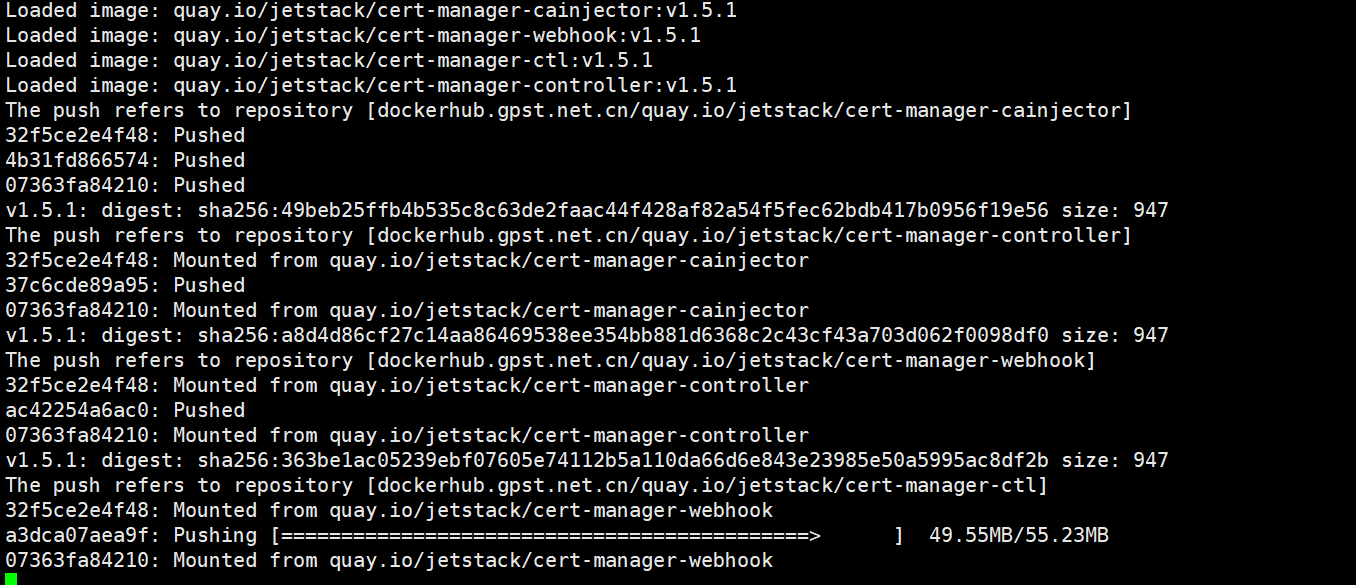
三、安装Kubernets集群
在可以访问你的 Linux 节点上的 22/tcp 端口和 6443/tcp 端口的系统上(选择Nginx这台服务器)
安装rke,版本为v1.2.23 (兼容rancher v2.5.17)
rke (本站下载地址)
rke(下载地址2)
mv rke_linux-amd64 /usr/local/bin/rke
chmod +x /usr/local/bin/rke
配置SSH密钥分发
cat >> /etc/hosts <<EOF
192.168.1.170 rancher-1 r1
192.168.1.171 rancher-2 r2
192.168.1.172 rancher-3 r3
EOF

ssh-keygen
一路回车
for ((i=1;i<=3;i++));do ssh-copy-id root@r${i};done
循环输入yes和密码
创建rke配置文件
RKE 选项
| 选项 | 是否必选 | 描述 |
|---|---|---|
address | 是 | 离线环境中节点的 DNS 或 IP |
user | 是 | 可以在节点上执行 docker 命令的用户 |
role | 否 | 想要给节点分配的一个或多个 Kubernetes 角色 |
internal_address | 否1 | 离线环境中节点的内部 DNS 或内网 IP |
ssh_key_path | 否 | 用来登录节点的 SSH 私钥文件路径(默认值为~/.ssh/id_rsa) |
rancher-cluster.yml:
nodes:
  - address: 192.168.1.170
    user: root
    role: ["controlplane", "etcd", "worker"]
    ssh_key_path: /root/.ssh/id_rsa
  - address: 192.168.1.171
    user: root
    role: ["controlplane", "etcd", "worker"]
    ssh_key_path: /root/.ssh/id_rsa
  - address: 192.168.1.172
    user: root
    role: ["controlplane", "etcd", "worker"]
    ssh_key_path: /root/.ssh/id_rsa

private_registries:
  - url: dockerhub.gpst.net.cn
    user: admin
    password: "Harbor12345"
    is_default: true
执行rke
配置完rancher-cluster.yml之后,启动你的 Kubernetes 集群:
rke up --config ./rancher-cluster.yml- 有关于kube-apiserver的警告暂时不必理会,等kube-apiserver容器启动完成了,警告自动会消失。
- 有错误,可以再重复执行一次,一般情况下能自动解决。
将以下文件的副本保存在安全的位置:
rancher-cluster.yml:RKE 配置文件kube_config_rancher-cluster.yml:集群的 Kubeconfig 文件,该文件包含对集群的完全访问权限的凭据。rancher-cluster.rkestate:Kubernetes 集群状态文件,该文件包含集群的当前状态,包括 RKE 配置和证书。
安装kubectl
curl -LO https://dl.k8s.io/release/v1.20.15/bin/linux/amd64/kubectl
mv kubectl /usr/local/bin
chmod +x /usr/local/bin/kubectl
设置环境变量
mkdir /root/.kube
cp ./kube_config_rancher-cluster.yml /root/.kube/config
chmod 600 /root/.kube/config
检验集群
kubectl get node
四、安装cert-manager
helm repo add jetstack https://charts.jetstack.io
helm repo update
kubectl create namespace cert-manager
helm install cert-manager jetstack/cert-manager --version v1.5.1 --namespace cert-manager --set installCRDs=true或者
helm fetch jetstack/cert-manager --version=v1.5.1

curl -L -o cert-manager-crd.yaml https://github.com/cert-manager/cert-manager/releases/download/v1.5.1/cert-manager.crds.yaml

kubectl apply -f ./cert-manager-crd.yaml

helm install cert-manager ./cert-manager-v1.5.1.tgz     --namespace cert-manager     --set image.repository=dockerhub.gpst.net.cn/quay.io/jetstack/cert-manager-controller     --set webhook.image.repository=dockerhub.gpst.net.cn/quay.io/jetstack/cert-manager-webhook     --set cainjector.image.repository=dockerhub.gpst.net.cn/quay.io/jetstack/cert-manager-cainjector     --set startupapicheck.image.repository=dockerhub.gpst.net.cn/quay.io/jetstack/cert-manager-ctl
五、安装rancher
helm repo add rancher-stable https://releases.rancher.com/server-charts/stable
helm repo update
helm fetch rancher-stable/rancher --version=v2.5.17
helm install rancher ./rancher-2.5.17.tgz     --namespace cattle-system     --set hostname=kubelb.gpst.net.cn     --set certmanager.version=1.5.1     --set rancherImage=dockerhub.gpst.net.cn/rancher/rancher     --set systemDefaultRegistry=dockerhub.gpst.net.cn     --set useBundledSystemChart=true
检验rancher:
kubectl get all -o wide -n cattle-system
rancher的WEB UI界面:(https://kubelb.gpst.net.cn)